Privacy-first heatmaps for Shopify

Stop watching session recordings. Get a ranked list of what to fix.

Somewhere on your store a button does nothing when tapped, or sits below where shoppers stop scrolling. Privacy Heat finds it, counts the visits it affects, and tells you which one to fix first.

  • Free plan, no card
  • One toggle, no code
  • No recordings, cookies or visitor ids

Sound familiar?

Something on the store is costing you sales. You just can’t see what.

Shopify tells you the conversion rate dropped. It does not tell you which button caused it.

Every problem is pinned to a page, a device and an element.

You installed a recording tool, watched ten sessions, and still were not sure what you saw.

Patterns are counted across every visit, so one odd shopper never sends you chasing.

The heatmap looked interesting. Nobody knew what to change on Monday.

Each finding comes with the change to make, ranked by visits affected.

A replay of every shopper sits on a vendor’s servers, and it is your name on the store.

Only page totals are stored. There is nothing to replay.

What it finds

The questions you have been guessing at, answered with a count.

Each answer is a real entry from the fix list of the sample store in the live demo: what is wrong, how many visits it hit, and what to change.

1

Why do phone shoppers leave the product page without adding to cart?

72%

of mobile visits never scrolled far enough to see “Add to cart”

The button sits 48% of the way down the page. 3,494 of 4,820 visits left before scrolling that far.

Fix: Add a sticky add-to-cart bar on mobile, or move the button above the description and reviews.

2

What are shoppers tapping that does nothing?

569

mobile visits tapped the product image and the page did not react

569 mobile visits (12%) tapped it and the page did not react.

Fix: Shoppers expect this image to open or zoom. Link it to the product, or add a zoom / lightbox.

3

Where do people get stuck right before checkout?

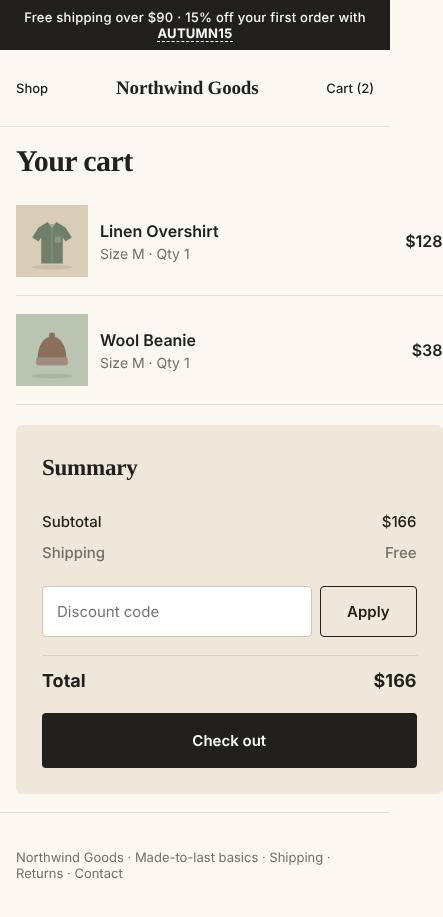
105

mobile visits hammered “Apply” on the discount field in the cart

105 mobile visits (9% of 1,120) tapped it 3+ times in a second.

Fix: Show a clear success or error message right after tapping, and keep the field from clearing itself.

Sample store: 18,610 page views over 7 days, 13 fixes found. The heat is drawn over a screenshot our server takes of the public page, never one from a shopper’s browser.

Instead of session recordings

Recordings give you homework. Privacy Heat gives you the answer.

Tools like Microsoft Clarity record visitors and leave the watching to you. Privacy Heat skips the footage and goes straight to the list.

Session recording tools

What you open
A queue of videos
Who finds the problem
You, by watching
Your time
1,000 recordings at 3 minutes each is 50 hours
What is stored
A replay of each visitor’s session
Cookies and ids
An id that follows a visitor from page to page
Page screenshots
Captured from the shopper’s browser

Privacy Heat

What you open
A ranked list of fixes
Who finds the problem
The rules, with the numbers shown
Your time
About 5 minutes to read the list
What is stored
Daily totals per page and button
Cookies and ids
None
Page screenshots
Taken by our server from your public page

Heatmaps

Want to see it for yourself? Every fix opens on the heatmap.

Clicks and scroll depth for each page, split by mobile and desktop, drawn over your real layout. Use it to check a finding before you change the theme, and again after to see whether the fix worked.

  • Click density over every button, link and image
  • Scroll reach, banded by how many visitors got that far
  • Screenshots refreshed by our server, so the picture matches your current theme
Open a heatmap in the demo
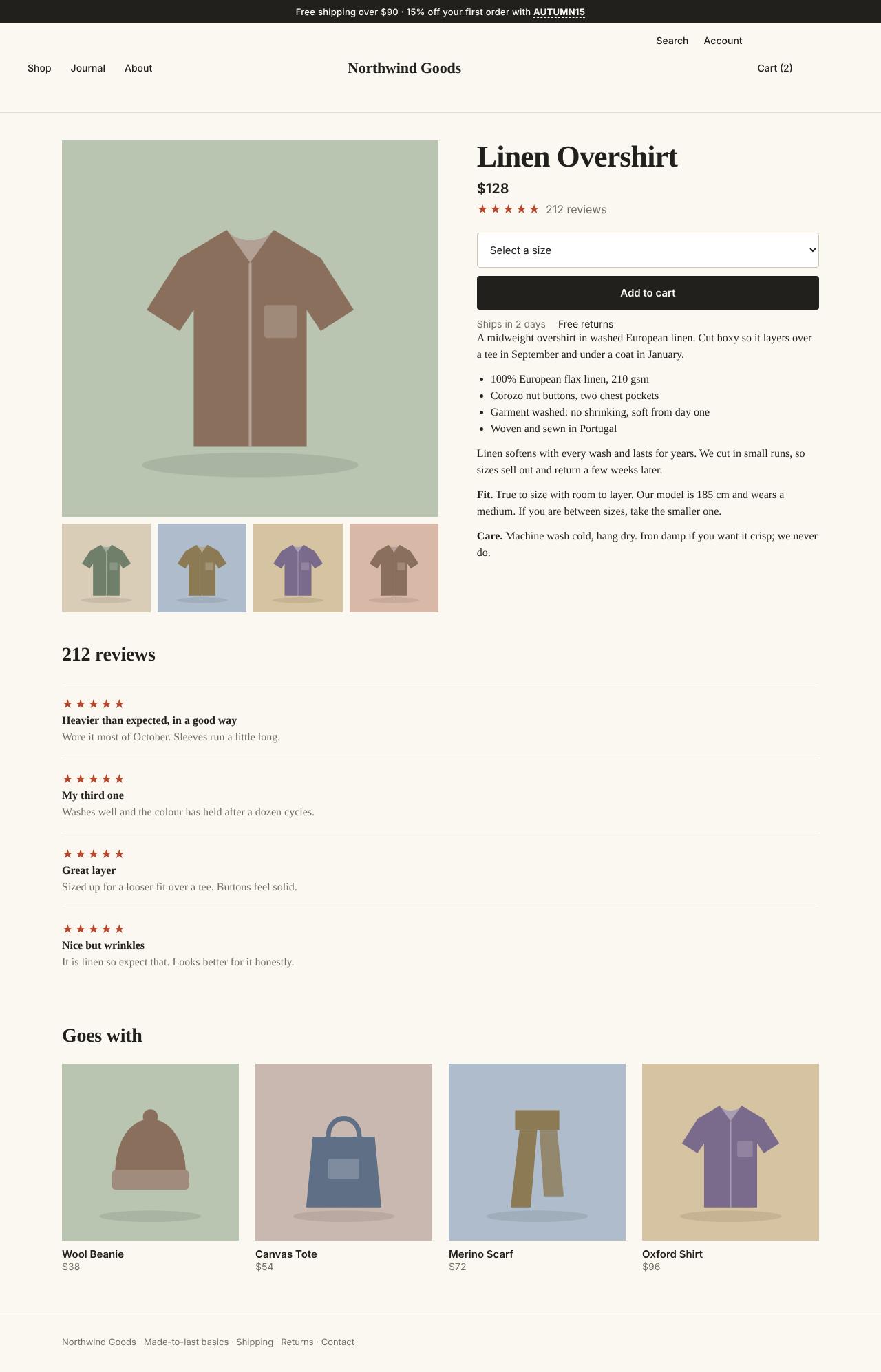
northwind-goods.com/products/linen-overshirt · desktop · clicks
Desktop shoppers go straight to the size picker and the button. That page works. The phone version is where the list found the trouble.

How it works

Three steps, one of them yours.

Step 1

Switch on the app embed

Install from the Shopify App Store and flip one toggle in your theme editor. No code, no theme edits.

Step 2

Shoppers browse, we count

Clicks, rage clicks, dead clicks and scroll depth are added to per-page totals. Individual visits are never stored.

Step 3

Open your ranked fix list

Each problem comes with the evidence, how many visits it affected, and what to change. Start at number 1.

Privacy

Stated as facts.

No adjectives. This is what the script sends and what the database holds.

A row in our database · the most detailed thing we store

{
  "day": "2026-11-26",
  "path": "/products/linen-overshirt",
  "device": "mobile",
  "selector": "#product-form select.size",
  "label": "Size",
  "clicks": 1494,
  "rage": 251,
  "dead": 0
}

A daily total per element. No visitor, session, IP address or timestamp.

Never collected

  • ✕Session recordings or replays
  • ✕Cookies, local storage, fingerprints
  • ✕IP addresses or user agents
  • ✕Anything typed into a field
  • ✕Account, checkout and order pages

Yours to control

  • Record only after analytics consent, if you choose
  • Turn off button and link text
  • Pick how long totals are kept
  • Delete everything with one button
  • No access to your orders, customers or products
Read exactly what the script sends

Pricing

Start free. Upgrade when the list is worth it.

Billed through Shopify, on your normal invoice.

Free

See your top problems.

$0/ month

Install free
  • Top 3 ranked fixes
  • 5,000 page views / month
  • 7 days of history
  • Heatmaps on screenshots of your top 3 pages
  • Cookieless tracking
Most stores pick this

Starter

The full list for one store.

$19/ month

Start on Free, upgrade in app
  • Every ranked fix
  • 50,000 page views / month
  • 30 days of history
  • Heatmaps for your top 15 pages
  • Everything in Free

Pro

For stores that ship changes weekly.

$49/ month

Start on Free, upgrade in app
  • AI-written fix instructions
  • 500,000 page views / month
  • 90 days of history
  • Heatmaps for your top 40 pages
  • Priority support
  • Everything in Starter

Every plan is cookieless and stores page totals only. Uninstalling deletes your data.

Questions

The ones merchants ask first.

Is this a Microsoft Clarity alternative for Shopify?+

Yes, for the part most merchants use Clarity for: finding what is broken or ignored on the storefront. Privacy Heat does not record sessions. It counts clicks, rage clicks, dead clicks and scroll depth per page, then ranks the problems for you.

Why no session recordings?+

Two reasons. Nobody has time to watch them, and a recording is a copy of everything a visitor did on your store. Privacy Heat keeps page-level totals instead, which are enough to find the problem and cannot be traced back to a person.

Where do the heatmap screenshots come from?+

From us, not from your shoppers. Our server opens your public page the way any anonymous visitor would and takes a picture of it. Nothing is captured from a shopper’s browser, so a screenshot never contains a cart, a name or an address.

Can I see what one visitor did?+

No. Each page view sends one message with no visitor or session id, and it is folded into daily totals per page and button, then discarded. You see how many visits rage-clicked a button, never whose visits they were.

What exactly does the script send?+

One small message per page view, when the visitor leaves: the page path without its query string, the page type, mobile or desktop, the deepest scroll, and the clicks on that page with button labels. IP address and user agent are not stored, and field values are never read. The full message is on the “What Privacy Heat collects” page.

Does Privacy Heat use cookies?+

No. The script sets no cookies and uses no browser storage. It creates no visitor or session id, so there is nothing to link one page view to the next.

Do I still need a cookie banner?+

That depends on your other tools and the countries you sell in, and it is a question for your own legal advice. If you want Privacy Heat to wait for analytics consent anyway, switch on “Only with analytics consent” in the app embed and it follows Shopify’s Customer Privacy API.

Will it slow down my store?+

The script is about 2 KB gzipped, loads deferred from Shopify’s CDN, and sends one small request when the visitor leaves the page.

How are the fixes ranked?+

By how many visits the problem affected, weighted by how close the page is to checkout. A broken button in the cart outranks the same problem on a blog post. Every fix shows the numbers behind it.

How do I install it?+

Install from the Shopify App Store, switch on the Privacy Heat app embed in your theme editor, and save. No code to paste. Uninstalling removes it and deletes your data.

Find out what to fix first.

Install free, switch on the embed, and read your list once the first visits come in.

Free plan, no card. Uninstalling removes the script and deletes your data.